




$4.00
Earn 4.00 Reward Points
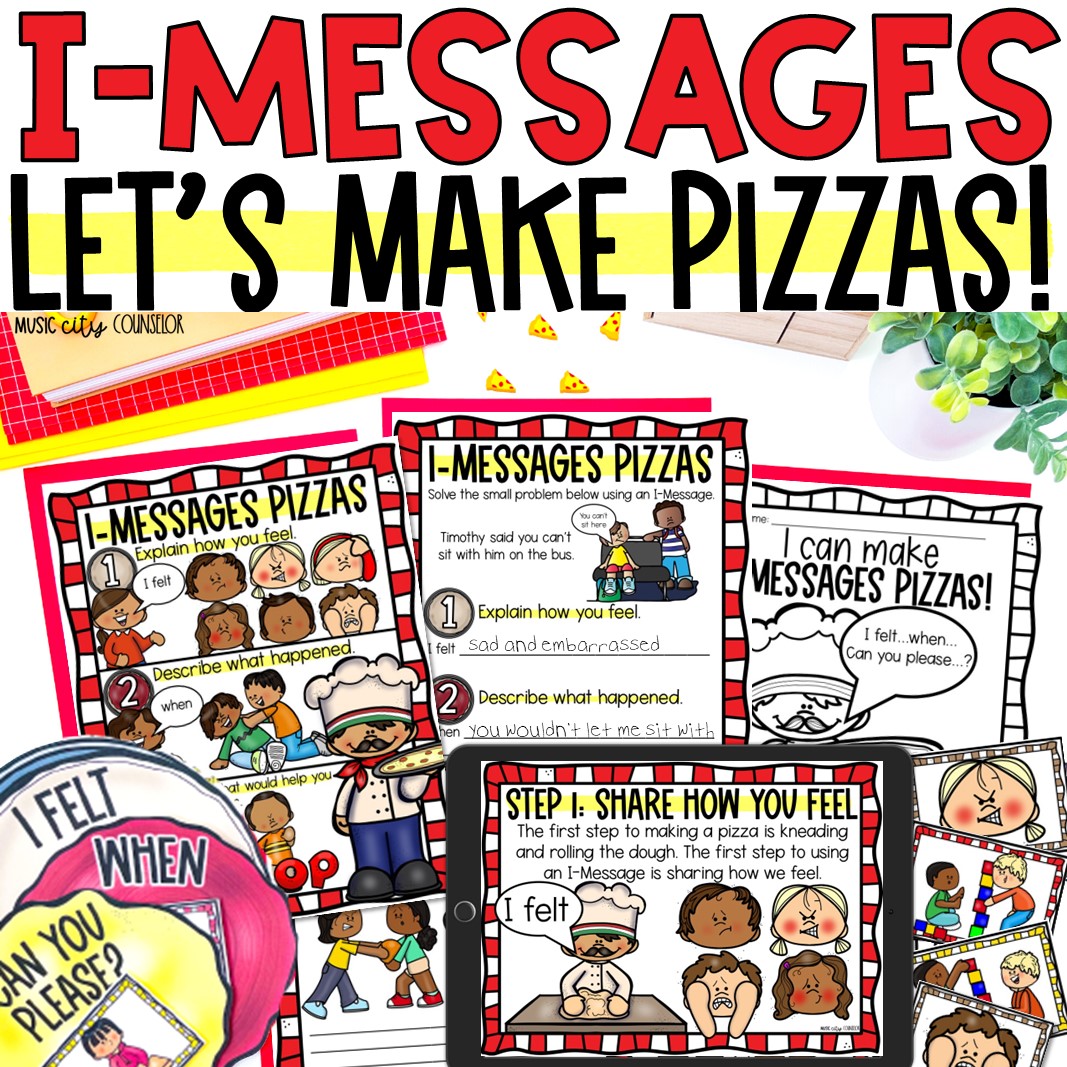
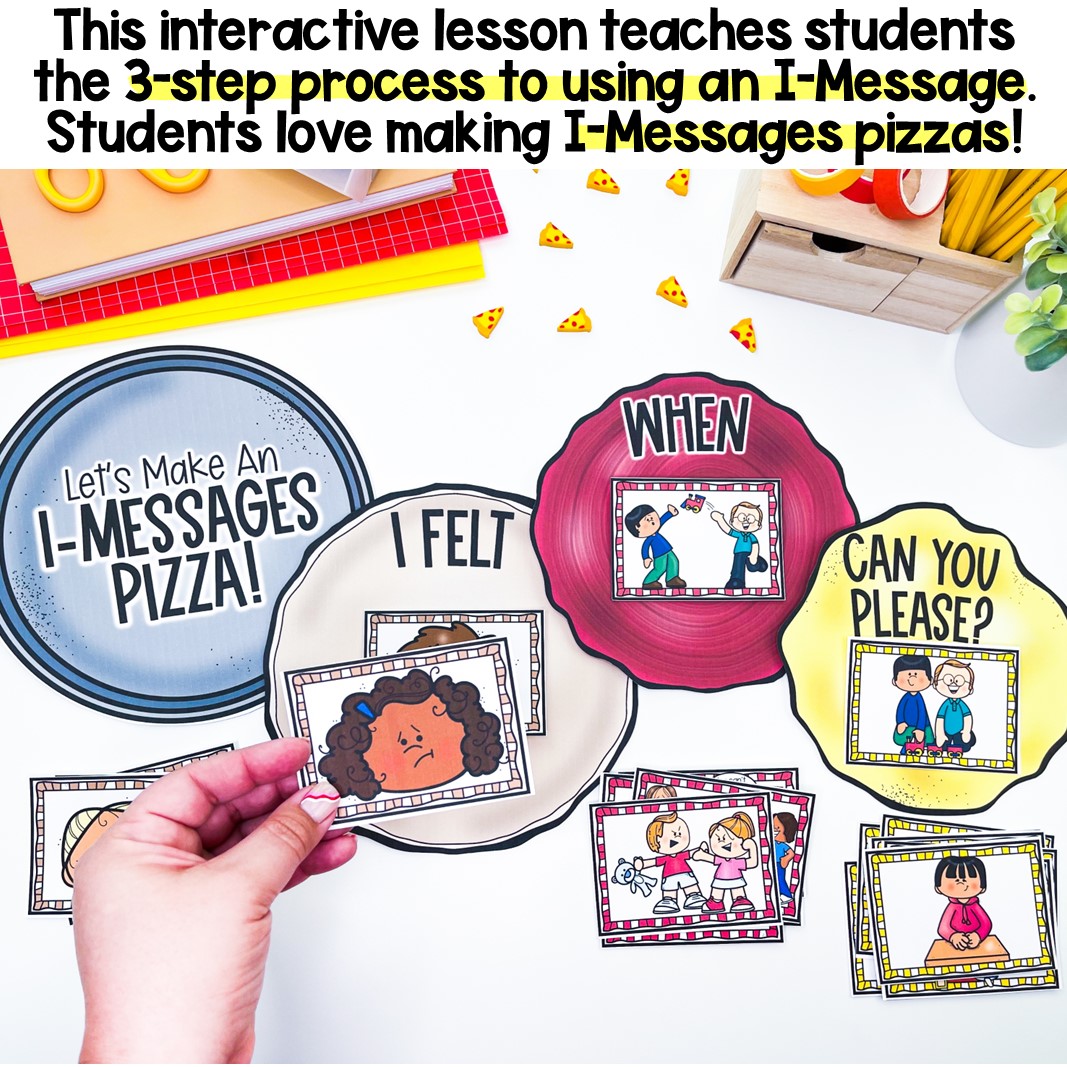
This interactive lesson teaches students the 3-step process to solving small problems using an I-Message, with a fun and memorable pizza theme!


This interactive lesson teaches students the 3-step process to solving small problems using an I-Message, with a fun and memorable pizza theme!
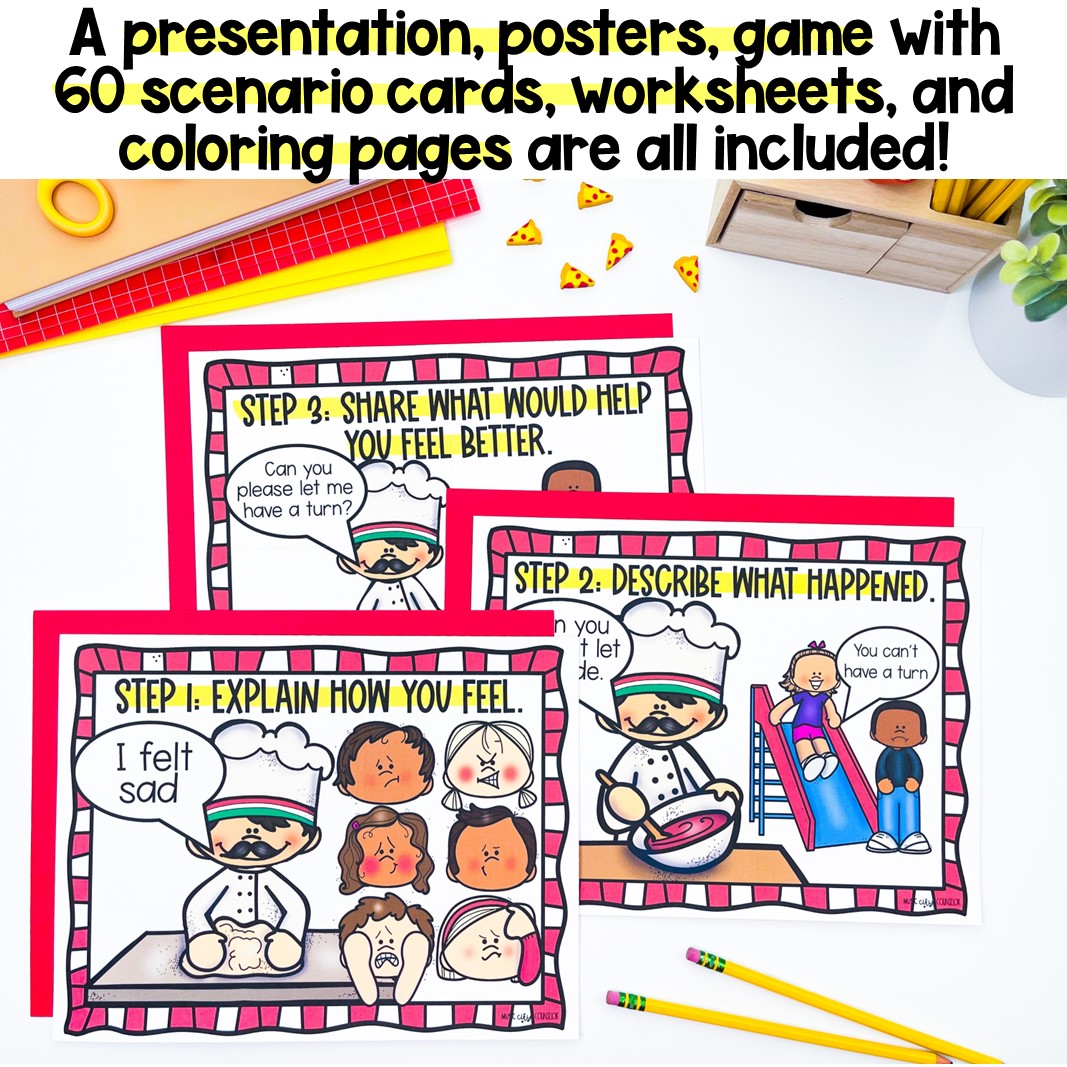
⭐ Students learn that just like making a cheese pizza, there are 3 steps to using an I-Message:
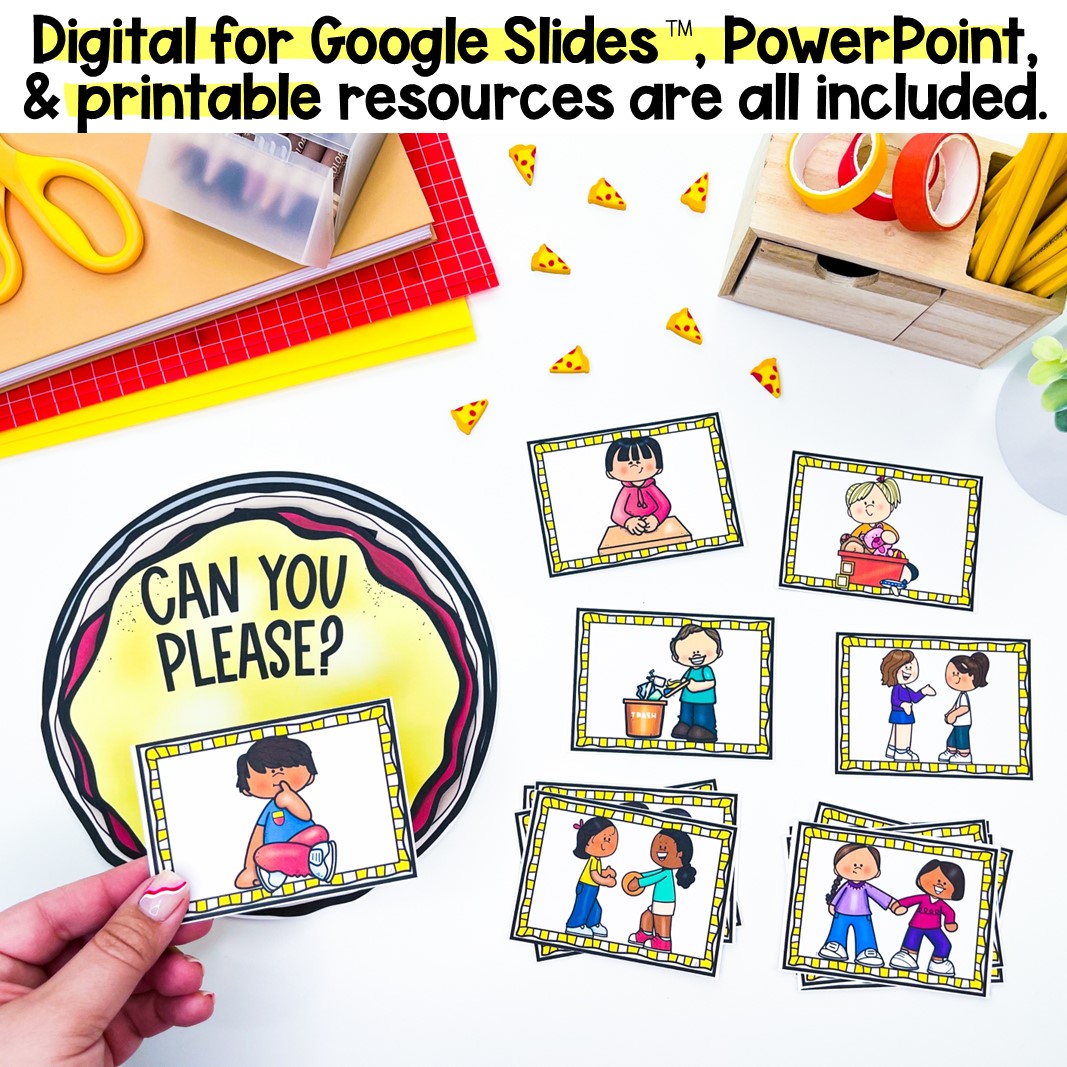
✅ Digital for Google Slides™, PowerPoint, and printable resources are all included, in full color and black/white.
✨ THIS RESOURCE INCLUDES:
✅ An interactive digital for Google Slides presentation™.
✅ An engaging PowerPoint presentation.
✅ 4 posters to use in instruction and display in your space.
✅ An interactive activity that lets students “make I-Messages pizzas!” Students use 12 “I felt” emotions cards, 24 “when” small problems cards, and 24 “can you please” solutions cards to build their I-Message as they make their pizza (crust: “I felt” ➜ sauce: “when” ➜ cheese: “Can you please?)
✅ Assorted worksheets and coloring pages that let students practice the 3-step process for using I-Messages.
⭐⭐⭐⭐⭐
“Great resource! Easy to use and very engaging for my students. I was able to implement it right away and saw positive results. Highly recommend!” – Kristen P.
⭐⭐⭐⭐⭐
“i used this in one on one counseling with kids ages 6-10 and they really understood the concept of “I messages” because of this. Thanks for another great resource!” – Rebecca S.
⭐⭐⭐⭐⭐
“This is a great resource and versatile to work with several students.” – Deaira L.
⭐⭐⭐⭐⭐
“I love to use these with sibling groups in session and it aids as a visual to what we discussed.” – Britney C.
⭐⭐⭐⭐⭐
“Thank you so much! This resource is amazing! This resource is engaging, effective, and easy to use!” – The Counselor’s Corner
⭐⭐⭐⭐⭐
“This was a great way to teach I-messages. My students loved building the pizzas and made it easy for them to learn how to build an I statement.” – Abbie R.
⭐⭐⭐⭐⭐
“Love this! It was a very well-made resource. My students loved it and I loved how it works so well with the curriculum I teach.” – Rachel A.
⭐⭐⭐⭐⭐
“It is so important to teach I-messages and thank you for making it fun and engaging!” – Mary Allison D.
⭐⭐⭐⭐⭐
“Thank you! This was a cute way to show students how to take responsibility and expressing their emotions.” – Catriona F.
⭐⭐⭐⭐⭐
“This has been a helpful resource when discussing communication skills and cooperation leading up to our teamwork unit.” – Tara T.
⭐⭐⭐⭐⭐
“Used these for my small group counseling lesson to instill how to use an I-message appropriately. Awesome visuals and resource!” – Amy B.
⭐⭐⭐⭐⭐
“I spent the week working through this activity with daughter who has ADHD and son who has ASD. They both participated and I think all of us are getting better at starting with a feeling. Thank you for the fun resource. We are going to make pizza as well to reinforce the idea!” – Learning Grove Dyslexia Support
| Cookie | Duration | Description |
|---|---|---|
| cookielawinfo-checkbox-analytics | 11 months | This cookie is set by GDPR Cookie Consent plugin. The cookie is used to store the user consent for the cookies in the category "Analytics". |
| cookielawinfo-checkbox-functional | 11 months | The cookie is set by GDPR cookie consent to record the user consent for the cookies in the category "Functional". |
| cookielawinfo-checkbox-necessary | 11 months | This cookie is set by GDPR Cookie Consent plugin. The cookies is used to store the user consent for the cookies in the category "Necessary". |
| cookielawinfo-checkbox-others | 11 months | This cookie is set by GDPR Cookie Consent plugin. The cookie is used to store the user consent for the cookies in the category "Other. |
| cookielawinfo-checkbox-performance | 11 months | This cookie is set by GDPR Cookie Consent plugin. The cookie is used to store the user consent for the cookies in the category "Performance". |
| viewed_cookie_policy | 11 months | The cookie is set by the GDPR Cookie Consent plugin and is used to store whether or not user has consented to the use of cookies. It does not store any personal data. |